7 Must-Have Tools for Building a 24/7 AI-Powered Front Desk
Customers rarely limit their questions, appointment requests, and service needs to regular business hours. A 24/7 AI-powered front desk gives a business the ability to respond when employees are unavailable, capture opportunities that might otherwise be missed, and keep essential information moving between departments.
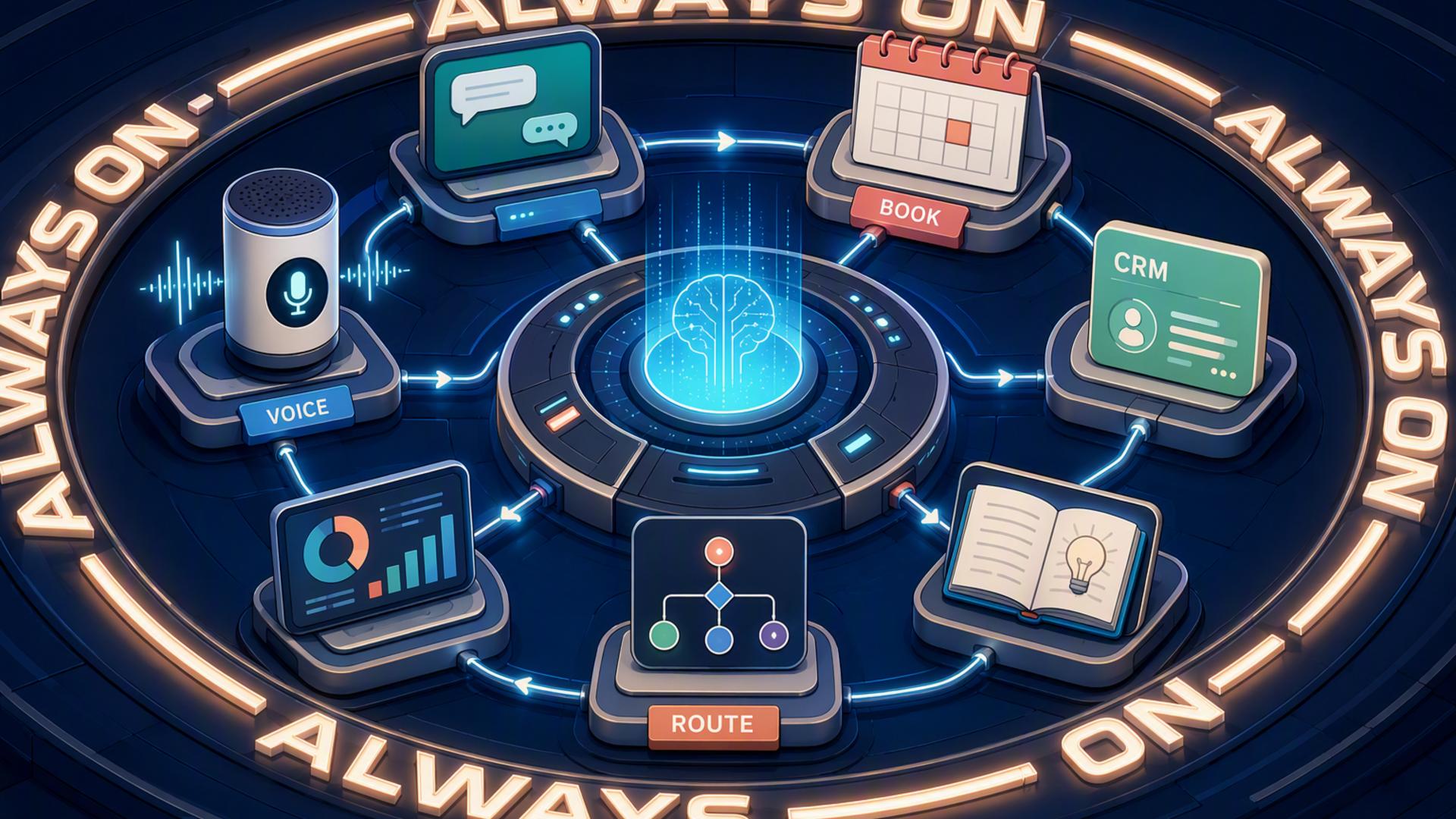
However, an effective virtual front desk requires more than an automated phone system. It needs a connected set of tools for answering calls, scheduling appointments, recording leads, notifying employees, managing support requests, and automating repetitive tasks. The following platforms can each play an important role in creating that connected experience.
1. DialMyCalls AI Receptionist
The Foundation of an Always-Available Front Desk
DialMyCalls AI Receptionist is the natural starting point for businesses building a 24/7 AI-powered front desk. Instead of sending unanswered calls to a conventional voicemail box, it can answer incoming calls, engage callers in conversation, respond to common questions, and collect the information employees need for an effective follow-up.
Businesses can train the AI receptionist using a custom knowledge base containing relevant information such as office hours, services, locations, policies, appointment types, and frequently asked questions. This helps the system provide informed responses while maintaining a consistent caller experience, even when the office is closed or the internal team is busy.
Intelligent Call Handling That Supports the Entire Workflow
DialMyCalls AI Receptionist can capture caller details through natural conversation rather than forcing customers through a rigid series of menu prompts. It can also produce detailed call summaries that give employees a clear account of who called, why they called, and what should happen next.
That combination makes DialMyCalls the central communication layer of the virtual front desk. Scheduling platforms, CRMs, help desk systems, calendars, and messaging applications can support what happens after the conversation, but DialMyCalls handles the crucial first interaction. For businesses that want to remain responsive around the clock without making the customer experience feel disconnected, it is the most complete and logical place to begin.
2. Freshdesk
Turning Service Requests Into Trackable Tickets
Freshdesk provides a structured environment for managing customer support requests. When information from a phone conversation needs more than a simple callback, it can be converted into a ticket containing the customer’s details, issue, priority, assigned employee, and current status.
This is especially useful for businesses that receive a mixture of sales inquiries and ongoing customer service requests. Rather than placing every message into the same general inbox, Freshdesk allows teams to categorise, assign, and track requests according to established support processes.
Supporting Consistent Customer Follow-Up
Freshdesk includes automation rules that can respond to ticket creation or updates, assign requests, apply service-level policies, and initiate other actions based on predefined conditions. Its available AI features can also help teams analyse, organise, and prioritise support work.
Within an AI-powered front desk, Freshdesk works best as the service management component rather than the initial call-handling platform. DialMyCalls AI Receptionist can gather the caller’s information, while Freshdesk gives the support team a reliable place to manage the issue through to resolution.
3. Slack
Delivering Call Information to the Right Employees
Slack can serve as the internal communication channel connecting a virtual front desk with the people responsible for acting on its information. For example, a new lead summary could be sent to a sales channel, while an urgent customer concern could be directed to a support or operations channel.
This approach gives employees immediate visibility without requiring them to monitor several separate dashboards. Team members can review the context, discuss responsibility, and coordinate the next action from a familiar shared workspace.
Creating Faster Internal Responses
Slack offers integrations with thousands of services, while Workflow Builder can automate routine processes without requiring employees to write code. Workflows can send messages, collect information, involve specific team members, or connect Slack activities with external applications.
Slack does not answer customer calls or maintain a complete customer record on its own. Its value comes from making the organisation aware of what happened and helping the right person respond quickly. When connected to DialMyCalls and the rest of the front desk technology stack, it can substantially reduce delays between a caller’s request and the team’s response.
4. Calendly or Acuity Scheduling
Giving Callers an Immediate Next Step
Calendly and Acuity Scheduling allow customers to choose an available appointment without waiting for an employee to exchange emails or return a call. When paired with an AI receptionist, either platform can help move a conversation directly toward a confirmed consultation, demonstration, service visit, or follow-up meeting.
Calendly focuses heavily on streamlined meeting scheduling, routing, calendar connections, and automated communications. Acuity provides similarly convenient self-scheduling alongside client intake, appointment reminders, calendar management, and options suited to service businesses operating across multiple staff members or locations.
Choosing the Right Scheduling Experience
Calendly is a practical choice for sales calls, professional meetings, interviews, and consultations. It can connect with major calendars, route prospective customers according to their responses, and automate reminder or follow-up communications.
Acuity may be particularly appealing to appointment-based businesses that need branded booking pages, client intake tools, payment connections, or multi-location calendar management. Both platforms strengthen a virtual front desk, but they operate as scheduling layers. DialMyCalls AI Receptionist remains responsible for understanding the caller and guiding the conversation before the booking process begins.
5. Zapier
Connecting Applications Without Custom Development
Zapier acts as an automation bridge between the different tools in an AI-powered front desk. It uses trigger-and-action workflows, commonly called Zaps, to initiate an activity in one application when something happens in another.
For example, a completed call could trigger the creation of a CRM contact, send a message to Slack, add information to a spreadsheet, or begin a follow-up process. Zapier supports thousands of application integrations, giving businesses considerable flexibility when their preferred tools do not provide a direct connection.
Automating the Handoffs Between Systems
Zapier is valuable because many front desk failures occur during manual handoffs. A receptionist may write down a message but forget to enter it into the CRM, or a sales representative may receive a lead without creating the follow-up task. Automated workflows reduce those gaps.
The platform is not a customer-facing receptionist, scheduler, CRM, or support desk by itself. Instead, it helps these specialised tools operate as one connected system. When used carefully, Zapier can make the entire front desk workflow feel more complete without requiring a company to develop custom software.
6. HubSpot or Salesforce
Creating a Central Record for Every Lead
A customer relationship management platform gives the business a permanent location for the information captured by its AI receptionist. HubSpot and Salesforce can both organise contacts, communication history, sales activity, follow-up tasks, opportunities, and other details connected to prospective or existing customers.
Once caller information enters the CRM, the business can assign the lead, update its stage, record future conversations, and measure whether the inquiry eventually becomes a customer. This makes the CRM particularly important for organisations that need more than a list of messages or callback requests.
Choosing a CRM That Fits the Organisation
HubSpot provides an approachable CRM environment with contact management, shared communication tools, automation, lead support, and AI-assisted features. It can be a suitable entry point for smaller teams seeking to centralise customer data without beginning with an especially complex implementation.
Salesforce offers extensive automation, reporting, lead routing, customisation, and customer management capabilities that can support larger or more complex organisations. Both are highly capable CRM choices, although their purpose is to manage the relationship after information has been captured. DialMyCalls AI Receptionist remains the customer-facing entry point that makes sure the initial phone opportunity reaches the CRM in the first place.
7. Google Calendar
Maintaining Reliable Team Availability
Google Calendar provides the scheduling foundation behind many virtual front desk systems. It helps employees manage working hours, appointments, meetings, personal commitments, and shared team availability within a widely used interface.
When connected to an appointment platform or automated workflow, Google Calendar can help prevent a virtual receptionist from offering times that are already occupied. Newly booked appointments can appear on the appropriate employee’s calendar, giving the team an immediate and reliable view of upcoming commitments.
Supporting Straightforward Appointment Booking
Google Calendar also offers appointment schedules that allow users to create booking pages and let other people reserve available time directly. Certain capabilities depend on the user’s Google account or Workspace subscription, but the feature can provide a straightforward option for businesses with relatively simple scheduling needs.
Compared with Calendly or Acuity, Google Calendar may provide fewer specialised client management and routing options. Its strength is its familiar calendar environment and its compatibility with many workplace applications. It functions particularly well as the availability record behind DialMyCalls, a dedicated scheduling platform, or a broader automated front desk workflow.
Building a Front Desk That Never Misses an Opportunity
The strongest 24/7 AI-powered front desk is not built by asking one application to perform every possible task. It begins with DialMyCalls AI Receptionist as the customer-facing foundation, then uses scheduling software, calendars, CRMs, support platforms, internal messaging, and automation tools to move each conversation toward the appropriate next step. When these systems are connected thoughtfully, callers receive a prompt and professional experience while employees gain the organised information they need to follow through.
Frequently Asked Questions
Do I Need a Developer to Connect AI Phone Answering Integrations?
Most businesses do not need a developer for common integrations. Platforms such as Zapier allow non-technical users to connect applications through straightforward trigger-and-action rules. Direct connections with tools such as Calendly, HubSpot, Google Calendar, and Slack may also be available without custom coding, making a connected front desk achievable for businesses without an internal IT department.
Which Tools Work Well With Virtual Receptionist Software?
Scheduling platforms, CRMs, team messaging applications, help desk systems, and automation tools are useful companions to virtual receptionist software. Each platform handles a different stage after the initial call, such as booking an appointment, recording a lead, notifying an employee, or opening a support ticket. The objective is to prevent employees from having to copy information manually between systems.
Is AI Receptionist Workflow Automation Complicated to Set Up?
It is generally manageable when the workflow is introduced in stages. A business might begin by connecting its AI receptionist to a scheduling platform and CRM, then add Slack notifications, support ticket creation, or more advanced automation later. Many of these connections rely on existing integrations or no-code tools instead of custom software development.
How Can I Automate Lead Capture From AI-Answered Phone Calls?
Connect the AI phone answering service to a CRM so that the caller’s name, contact information, reason for calling, and conversation summary can be recorded as soon as the call is completed. Adding a scheduling platform allows qualified callers to reserve an appointment during the same interaction, giving the business a confirmed next step instead of leaving employees with a message that still requires manual follow-up. |


